



Ready to see your brand come alive on a T-shirt? The most straightforward way to print a logo on a t shirt is to first pick the right printing method for your project—think screen printing for big runs or Direct-to-Garment (DTG) for detailed, colourful designs. Once that's sorted, you'll need a high-quality digital version of your logo to get that sharp, professional look.
From Concept to Custom T Shirt
Turning a logo into wearable merchandise is a brilliant way to build your brand identity, foster team spirit, or just make an event memorable. Whether you're a business owner prepping for a trade show, a startup kitting out the team, or an event planner needing custom gear, the process has never been easier. This guide is your roadmap, designed to cut through the jargon and help you make the best choices with confidence.
It all starts with your end goal. Are you after a single, one-of-a-kind T-shirt, or do you need to produce hundreds for a massive giveaway? Your answer will shape everything—from the printing technique to the T-shirt itself and, of course, the budget.
For example, a small batch of tees with a complex, multi-coloured logo for your startup team is a perfect job for DTG printing. On the other hand, if you need 500 single-colour T-shirts for a charity fun run, the cost-effectiveness of screen printing makes it the obvious choice.
Why Custom T Shirts Matter
Custom apparel is so much more than just clothing. It’s a walking billboard for your brand, your cause, or your message. This is clearly reflected in the booming custom T-shirt printing market, which was valued at around $8.17 billion globally in 2024 and is expected to reach $9 billion by 2025. This growth is driven by everything from corporate branding to pop culture trends, and the Australian market is right there in the mix.
This boom means you have more options and access to better technology than ever before. To make the most of it, you need a clear strategy. A great starting point is understanding how to select the right promotional products to match your campaign goals.
The Bigger Picture Your Brand Strategy
If these custom T-shirts are part of a larger brand strategy or a new business idea, it's smart to think about the bigger picture. For anyone just starting out, embarking on your own fashion business journey offers some fantastic insights that can help shape your overall plan.
To get you started, here’s a quick rundown of the most common printing methods. Think of it as a high-level overview to point you in the right direction.
Quick Guide to T-Shirt Printing Methods
- Screen Printing: Ink is pushed through a mesh stencil onto the fabric, one screen per colour, then cured with heat.
- Direct-to-Garment (DTG): A specialised printer sprays water-based ink straight onto the shirt, like an inkjet printer for fabric.
- Heat Transfer (HTV or iron-on): A design is cut from vinyl or printed onto transfer paper, then pressed onto the shirt with heat.
- Embroidery: A machine stitches the logo into the fabric using coloured thread, rather than printing it.
DIY at Home: Iron-On Transfer Print your logo (mirrored, for light shirts) onto heat transfer paper suited to light or dark fabric using a home printer, then cut around the image closely so no paper edge shows. Lay the shirt flat on a smooth, heat-resistant surface, covered with a cotton pillowcase, and iron it flat first. Position the transfer, then iron firmly with dry heat (no steam) for 30 seconds to a few minutes, following the paper’s instructions. Let it cool completely at room temperature before peeling off the backing.
DIY at Home: Heat Transfer Vinyl (HTV) Cut your logo from a sheet of HTV using scissors or a craft cutter, then weed out the unused vinyl so only the design remains on the backing. Position the cut design on the shirt and press with a hot iron or heat press on a high cotton setting, no steam, pressing firmly for 10 to 15 seconds per section. Peel the backing away once the vinyl has cooled. A craft cutter gives cleaner edges on detailed logos than hand-cutting with scissors.
DIY at Home: Basic Screen Printing Make or buy a screen with a paper stencil of your logo, then tape it in place on a flat shirt. Spoon on roughly a tablespoon of water-based ink and pull a squeegee vertically across the screen in one firm stroke for even coverage. Cure the print by ironing over brown paper for 1 minute, letting it rest, then ironing again for 30 seconds.
Choosing Your T-Shirt Printing Method
Getting your logo onto a T-shirt involves more than just hitting 'print'. The method you choose is arguably the most critical decision in the whole process, directly impacting the final look, durability, and cost of your project. Let's walk through the main techniques used in the industry so you can make the right call.
To get a quick idea of which way to go, this flowchart breaks it down based on how many shirts you need, the colours in your design, and the fabric you’re using.
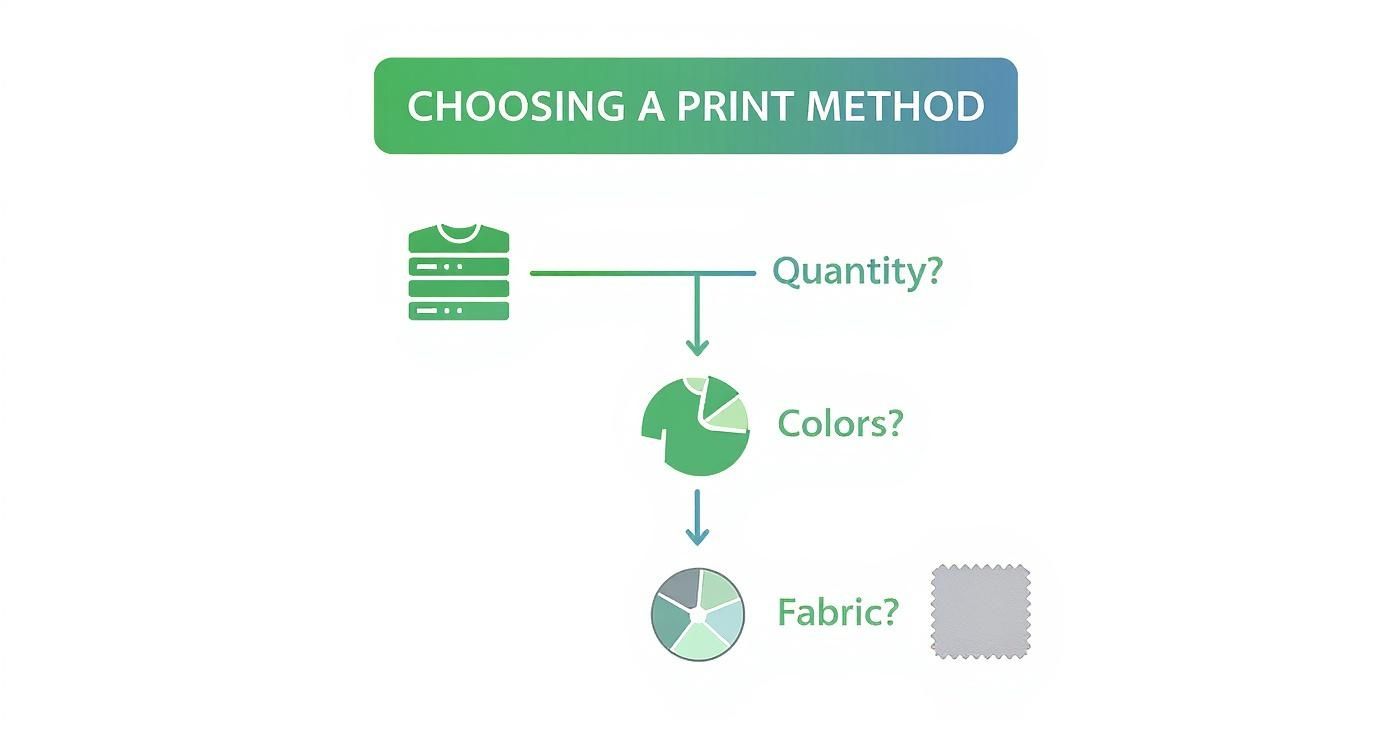
As you can see, a big order with a simple logo points you in a completely different direction than a one-off T-shirt with a full-colour photo.
Screen Printing: The Unbeatable Classic
Screen printing is the absolute workhorse of the T-shirt world, especially when you're ordering in bulk. It’s a bit like creating a very precise stencil. A mesh screen is made for each individual colour in your logo, and ink is pushed through it onto the fabric. The ink then gets cured with heat, forming a permanent bond with the shirt’s fibres.
This process creates prints that are incredibly vibrant and tough. They can handle years of washing without cracking or fading, which is why it's the go-to for retail brands, staff uniforms, and merchandise for large events.
The real magic of screen printing is its cost-effectiveness at scale. While you have initial setup fees for the screens, the cost per shirt plummets as you order more, making it the most economical choice for any run of 50 shirts or more.
The catch? It’s not ideal for designs with tons of colours or photographic detail. Every colour needs its own screen, which adds to the setup cost and complexity. It truly shines with bold, graphic logos that use between one and four solid colours.
Direct-to-Garment (DTG): For Full-Colour Freedom
Think of Direct-to-Garment (DTG) printing as an inkjet printer, but for clothes. A specialised machine sprays water-based inks directly onto the T-shirt, where they soak into the cotton fibres. The end result is a super soft, breathable print with incredible detail and a limitless colour palette.
This makes DTG the perfect solution for complex designs, photos, or logos featuring subtle colour gradients. Since there are no setup costs for each colour, it's brilliant for small batches or even single, one-of-a-kind prints.
Imagine your startup needs just 15 T-shirts for a launch event, and your logo is a vibrant, multi-coloured illustration. DTG is the perfect fit. It delivers photo-quality results without forcing you to order hundreds. To see how this and other methods work, you can explore our full range of custom printing options available.
Heat Transfer Methods: HTV and DTF
Heat transfers work by applying a pre-made design to a T-shirt using heat and pressure. The two big players here are Heat Transfer Vinyl (HTV) and the more recent Direct-to-Film (DTF).
Heat Transfer Vinyl (HTV) HTV is fantastic for simple graphics, lettering, and one-off customisations like names and numbers on sports jerseys. A machine cuts your design from a sheet of coloured vinyl, and you then press it onto the garment with a heat press. It's incredibly versatile and works on materials that DTG often struggles with, like polyester. For anyone keen on trying it at home, this DIY guide to iron-on clothing decals, including heat transfer vinyl (HTV) is a great resource.
Direct-to-Film (DTF) DTF is a newer technology that really shakes things up. It combines the full-colour capabilities of DTG with the fabric versatility of heat transfers. Your logo is printed onto a special film, which is then heat-pressed onto the T-shirt. The print comes out bright, sharp, and surprisingly durable, though it has a slightly smoother, more plastic-like feel to it.
Detailed Comparison of Printing Techniques
To help you weigh the pros and cons, I've put together a table that directly compares these methods across the factors that matter most.
Ultimately, there's no single "best" method—only the best method for your specific project. By considering your design's complexity, the number of shirts you need, and your budget, you can confidently choose the technique that will bring your logo to life perfectly.
Getting Your Logo Ready for a Flawless Print
A brilliant T-shirt print starts long before the ink hits the fabric. It all begins with your design file. I’ve seen it countless times: a fantastic logo idea gets ruined by a low-quality file, resulting in a blurry, pixelated, or off-colour mess. This guide is your checklist to get the artwork spot-on, ensuring what you see on screen is exactly what you get on the final shirt.
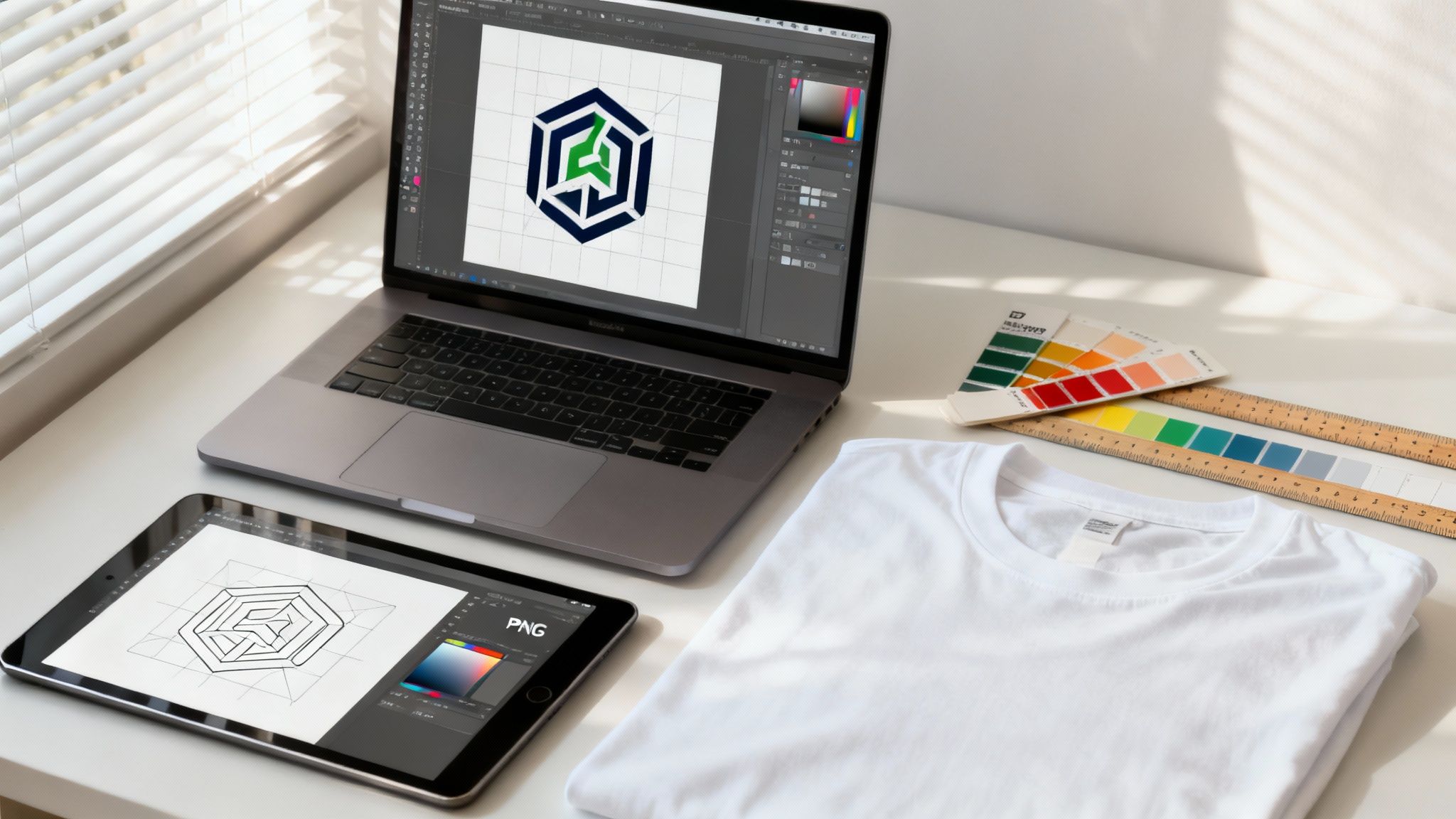
The first hurdle is understanding the language of print files. Your printer will almost certainly ask for a vector file, and there’s a very good reason for that. Think of it as the difference between a photograph and a blueprint.
Vector vs. Raster: The Big Showdown
When you want to print a logo on a t shirt, your design file will be one of two types: vector or raster. Knowing the difference is absolutely critical.
- Vector Files (.AI, .EPS, .SVG): These are the gold standard. Built with mathematical formulas, a vector logo can be scaled up to fit a billboard or shrunk for a pocket print without losing a single drop of quality. It stays perfectly sharp, every time.
- Raster Files (.PNG, .JPG, .GIF): These are made of tiny squares called pixels. They’re fine for websites, but when you try to enlarge a raster image for printing, you’re just making those pixels bigger. The result? That blocky, blurry effect we all dread.
Vector Files (.AI, .EPS, .SVG): These are the gold standard. Built with mathematical formulas, a vector logo can be scaled up to fit a billboard or shrunk for a pocket print without losing a single drop of quality. It stays perfectly sharp, every time.
Raster Files (.PNG, .JPG, .GIF): These are made of tiny squares called pixels. They’re fine for websites, but when you try to enlarge a raster image for printing, you’re just making those pixels bigger. The result? That blocky, blurry effect we all dread.
If all you have is a JPG of your logo, it might look okay on your monitor, but it’s probably not going to cut it for a professional print job. We always need the original vector file to guarantee a flawless finish.
Why Resolution Is a Non-Negotiable
If a raster file is your only option, then resolution becomes the most important factor. We measure this in DPI (Dots Per Inch), which tells you how much detail is packed into the image.
For printing on clothing, the industry standard is 300 DPI at the final print size. A logo might look great on a website at 72 DPI, but it will look fuzzy and unprofessional on a T-shirt. You can't just "upscale" a 72 DPI image to 300 DPI in Photoshop; that doesn't add new detail, it just stretches the old pixels, making the problem worse.
Always start with the highest resolution file you can get your hands on. You can always make an image smaller without losing quality, but you can never make a low-res image bigger and expect it to look good. It's a fundamental rule of digital design.
The Importance of Outlining Your Fonts
Here’s a classic printing nightmare I’ve helped clients avoid. You send over a beautiful design file, but the printer doesn't have the specific font you used. Their computer automatically substitutes it with a default like Arial, completely wrecking the look of your logo.
The fix is surprisingly simple: convert all text to outlines (or curves) before you send the file. This process turns your text into fixed vector shapes. It’s no longer editable text, but a permanent part of the graphic, ensuring it prints exactly as you intended, no matter who opens the file. This tiny step prevents massive headaches.
For a deeper dive, our simple artwork submission tips for beginners guide is a great resource.
Getting Your Colours Right for Print
The colours on your glowing computer screen (which uses an RGB light model) can look very different from colours created with ink (which use CMYK or spot colours). To avoid any nasty surprises, you need to set up your colours for the real world.
For screen printing, this almost always means using the Pantone Matching System (PMS). PMS is a standardised colour library where every shade has a unique code. When you give your printer the exact PMS codes for your brand, you’re guaranteeing the final ink colour on the shirt will be a perfect match.
A Quick Colour Checklist:
- Know Your Codes: Find out the specific PMS, CMYK, or HEX codes for your brand colours.
- Talk to Your Printer: Always ask what colour system they prefer for your chosen print method.
- Specify PMS for Screen Printing: This ensures total colour consistency, even across different print runs.
- Convert to CMYK for DTG: If you're going with a full-colour digital print, make sure your file is in the CMYK colour space for the most accurate results.
Taking the time to prep your logo file is the single most important thing you can do to guarantee a professional result. It removes the guesswork and ensures your branded T-shirts look exactly as you pictured them.
Bringing Your T-Shirt Design to Life
You've nailed the artwork and have a printing method in mind. Now it's time for the exciting part—moving from a digital file to a physical T-shirt. This is where your plan to print a logo on a t-shirt finally comes together. The journey involves picking the right printing partner, getting a handle on production timelines, and making sure the final product is something you're proud of.
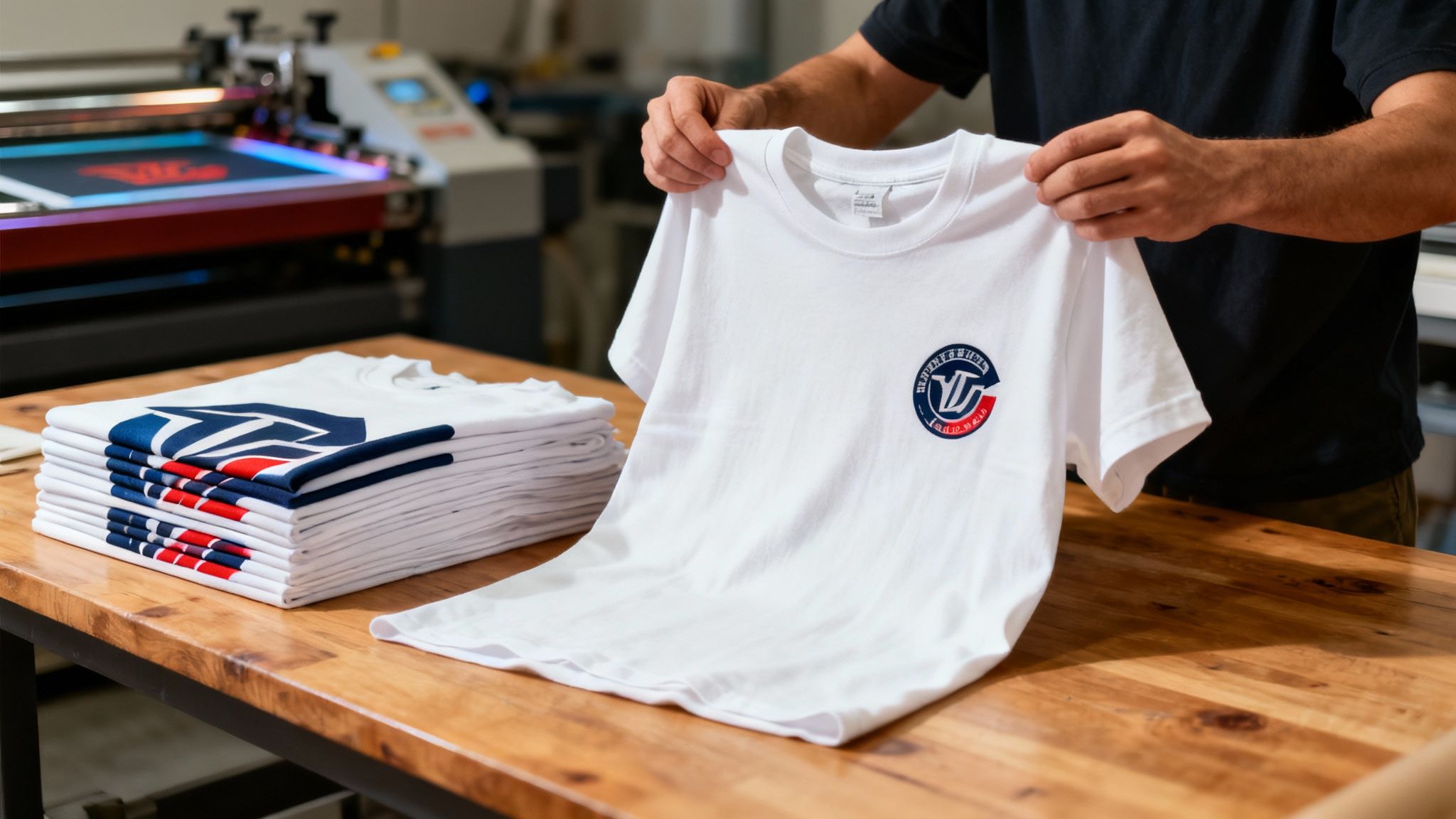
Your first big decision is choosing who will do the printing. You'll generally find two camps: local print shops and larger online providers. Each has its pros. A local printer often gives you that hands-on service, letting you see and feel the different T-shirts before you commit. Online printers, on the other hand, can be very competitive on price and usually have a slick, easy-to-use ordering system.
How to Choose a Good Printing Partner
Before you hand over your money, do a little homework. Look up their online reviews, browse their portfolio to see the quality of their past work, and don't hesitate to ask them a few questions. Any printer worth their salt will be upfront about what they can and can't do and should be happy to guide you.
The next step is getting a detailed quote, which is a great indicator of a professional outfit. It should break down every single cost so there are no nasty surprises later.
What to Look For in a Quote:
- Garment Cost: The price for each T-shirt, which will change depending on the brand, fabric, and colour you choose.
- Setup Fees: You'll almost always see this for screen printing; it covers the cost of making the custom screens for your design.
- Printing Cost: This is the fee to actually apply your logo, usually calculated based on how many colours are in the design and how many locations you're printing on (e.g., front, back, sleeve).
- Shipping and Handling: Make sure this is clearly laid out from the beginning.
It's tempting to just go for the cheapest option, but that can be a mistake. Think about the overall value—a printer's reputation for quality and good customer service is worth its weight in gold. Paying a little extra for a reliable partner can save you a world of pain down the track.
The Proof Is Your Best Friend
I can't stress this enough: never, ever approve a full print run without seeing a proof first. It’s your last line of defence against mistakes before hundreds of T-shirts get printed.
You’ll typically see one of two types of proofs:
- Digital Mock-up: This is a computer-generated image that shows what your logo will look like on the T-shirt. It's perfect for double-checking the size, placement, and general layout.
- Physical Sample: For bigger orders or jobs where colour is critical, getting a physical sample is the gold standard. This lets you feel the shirt, inspect the print quality up close, and see the exact ink colours in real life.
A digital mock-up is standard practice, but a physical sample is the ultimate quality guarantee. It eliminates all guesswork. If your printer offers it (even for a small fee), it's an investment that pays for itself.
Getting a Grip on Production Timelines
Once you give the green light on the proof, your order officially hits the production queue. Turnaround times can vary quite a bit depending on the printing method you’ve chosen and how busy the printer is.
- Screen Printing: Usually takes about 1-2 weeks because it involves the manual process of creating screens and setting up the printing press.
- DTG Printing: Can be much faster for smaller orders, sometimes turning around in as little as 3-5 business days.
- Heat Transfer: Similar to DTG, small batches can be produced fairly quickly.
Always get an estimated completion date from your printer and build that into your own schedule, especially if you need the T-shirts for a specific event or launch date. For a transparent experience from quote to delivery, you can check out our simple process to order promotional products with clear timelines.
The Final Inspection: Don't Skip This Step!
The day the big box of your custom T-shirts arrives is always a good one. But before you start celebrating, take ten minutes to do a quick quality check.
Grab the proof you approved and a handful of T-shirts from different parts of the box. Run through this quick checklist.
Final Inspection Checklist:
- Print Quality: Is the logo crisp and sharp? Look for any smudges, cracks, or fuzzy edges.
- Colour Accuracy: Hold the shirt up to your proof. Do the ink colours match the Pantone or CMYK values you signed off on?
- Placement and Size: Is the logo in the right spot and the correct size, just like on the mock-up?
- Garment Check: Give the T-shirts themselves a once-over. Are there any manufacturing flaws like small holes or crooked seams?
- Count the Order: A simple one, but important. Make sure the quantity you received is what you paid for.
Following this simple roadmap will help you navigate the production process with confidence, ensuring a smooth run from submitting your file to holding a high-quality, perfectly printed T-shirt in your hands.
Common T-shirt Printing Mistakes to Avoid
Diving into a custom apparel project is exciting, but a few common slip-ups can easily turn a great idea into a box of disappointing T-shirts. The fastest way to save yourself time, money, and a whole lot of frustration is to learn from the missteps of others. Getting ahead of these frequent traps will help you navigate the printing process like you’ve been doing it for years.
One of the biggest blunders we see is a mismatch between the chosen printing method and the T-shirt's fabric. This single choice can make or break your final product. For example, trying to use Direct-to-Garment (DTG) printing on a 100% polyester shirt is a classic recipe for disaster. The water-based inks used in DTG need natural fibres like cotton to bond properly. On polyester, you’ll likely end up with a faded, splotchy print that won't last past the first wash.
On the other hand, some methods are perfect for synthetic fabrics. If you're after a premium, textured finish that works beautifully on a variety of materials, it's worth exploring what embroidery is and how it works as a durable and high-end alternative.
Misjudging Logo Size and Placement
A logo that looks perfect on a digital mock-up can feel completely awkward in real life if the sizing isn't carefully considered. It’s a common mistake to use a one-size-fits-all logo across a full range of T-shirt sizes. A big, bold logo designed for an XXL shirt will completely overwhelm an XS, looking clunky and just plain wrong.
To get around this, think in terms of proportions. A standard chest print might be 25cm wide on a Large shirt, but it’s best to scale that down to 20-22cm for a Small. Always consider the "canvas" you're actually printing on.
Placement is just as crucial. The industry standard for a front chest logo is about 7-10cm down from the collar. Go too high and it looks strange; go too low and the logo ends up on the wearer's stomach. For a classic left-chest "pocket" print, a good rule of thumb is to align it with the centre of the wearer’s armpit.
Overlooking Colour Profiles
Here’s a technical pitfall that catches people out all the time: the difference between screen and print colours. Your computer monitor displays colours using the RGB (Red, Green, Blue) light-based model. Professional printers, however, use an ink-based CMYK (Cyan, Magenta, Yellow, Black) model.
Sending an RGB file for a CMYK print job can cause some pretty dramatic colour shifts. That vibrant electric blue on your screen might turn into a dull, muted navy on the final shirt.
Pro Tip: Always convert your artwork to the CMYK colour space before sending it to your printer for digital methods like DTG or DTF. If you’re screen printing, providing specific Pantone (PMS) colour codes is the absolute best way to guarantee a perfect match.
Skipping the Final Proofing Stage
In the rush to meet a deadline, it’s so tempting to give a digital mock-up a quick glance and hit "approve." This is a huge gamble. That proof is your last chance to catch any errors in spelling, placement, size, or colour before hundreds of shirts are printed.
Think about it—even a small typo can render an entire batch of T-shirts useless. A misplaced logo can ruin the professional look you were aiming for. Always take the time to scrutinise every single detail of the proof. If you can, get a second person to review it as well. A fresh pair of eyes can often spot something you’ve looked at a dozen times and missed.
In the Australian printing industry, getting these details right is more important than ever. While the sector has seen a market decline, with an estimated revenue of $7.1 billion in 2025, the growth in digital printing for custom apparel presents a huge opportunity for businesses that prioritise quality. You can learn more about these printing industry trends in Australia. Avoiding these common mistakes ensures your project stands out for all the right reasons.
Your T-Shirt Logo Printing Questions Answered
Alright, let's get into the questions we hear all the time. As you get ready to kick off your t-shirt project, a few queries always seem to pop up. Answering these now will save you headaches later and help make sure your final product is exactly what you envisioned.
We're talking about the practical stuff—longevity, cost, materials, and file types. Nailing these details is what separates an average-looking tee from a truly professional one. Let's dive into the four most common questions we get from our clients.
What Is the Most Durable T-Shirt Printing Method?
If you want a print that will last and last, screen printing is still the king. It’s the tried-and-true method for a reason. The process forces ink into the fabric, where it chemically bonds during the curing process. This creates a finish that’s practically bulletproof.
You can expect a screen-printed logo to handle hundreds of washes without cracking, peeling, or fading. It’s why it’s the go-to for retail brands, staff uniforms, and school leaver jumpers. While other methods like Direct-to-Film (DTF) have come a long way in terms of durability, screen printing remains the benchmark for pure toughness.
How Much Does It Cost to Print a Logo on a T-Shirt?
This is the big "how long is a piece of string?" question. There's no flat rate, as the final price hinges on a few key factors: the printing method, the number of shirts you order, how many colours are in your logo, and the t-shirt you choose.
To give you a clearer picture with some real-world numbers:
- A small run of 10 tees with a complex, full-colour DTG print might land somewhere between $25 to $40 per shirt.
- On the flip side, a bulk order of 200 shirts with a simple one-colour screen print could drop the price right down to $7 to $15 per shirt.
The main takeaway here? Volume is your best friend, especially with screen printing. The more you print, the cheaper each shirt becomes. Always ask for a custom quote based on your exact needs to get the real numbers.
Can I Print on Any T-Shirt Material?
Not quite. This is a crucial detail that’s easy to miss. Different printing methods play nicely with different fabrics. For example, Direct-to-Garment (DTG) printing looks its absolute best on 100% cotton. The water-based inks soak into the natural fibres beautifully, giving you that super soft, breathable feel.
Screen printing is more of a workhorse—it’s fantastic on cotton, polyester, and your standard cotton/poly blends. Heat Transfer Vinyl (HTV) is even more flexible and can stick to almost anything, including tricky performance fabrics. The secret to a great-looking and long-lasting print is matching the right technique to the right material.
What File Format Is Best for My Logo?
This one's easy: a vector file is the absolute gold standard. Look for file extensions like .AI, .EPS, or .SVG. Because these files are built with mathematical equations instead of pixels, you can scale them up or down to any size—from a tiny pocket logo to a massive design on the back—and they’ll stay perfectly sharp. No blurriness, ever.
If you absolutely can't get your hands on a vector file, a high-resolution raster image is your next best bet. We're talking about a .PNG file with a transparent background, saved at 300 DPI (dots per inch) at the exact size you want it printed. This is the minimum to ensure your print comes out looking crisp and clean.
At Simply Merchandise, we handle all these details so you don't have to. We guide you through the whole process to make sure your brand looks fantastic. Explore our range of custom apparel and get a free quote today at https://simplymerchandise.com.au.

