Access Denied
IMPORTANT! If you’re a store owner, please make sure you have Customer accounts enabled in your Store Admin, as you have customer based locks set up with EasyLockdown app. Enable Customer Accounts

A Practical Guide to Print T Shirt Logo Designs
Posted By Matthew Malios
on
Putting your logo on a T-shirt is one of the most tried-and-true ways to get your brand out there. It's more than just printing; it's about turning your brand into something people can wear and see every day.
But where do you start? The path from a digital file to a finished T-shirt can feel a bit overwhelming at first. This guide is here to clear things up and walk you through every step. We'll cover the big decisions you need to make to ensure your first batch of custom apparel is a home run.
Why Branded T-Shirts are a Smart Move
The custom T-shirt printing market here in Australia is a testament to how much businesses value this kind of marketing. The industry was valued at USD 44.21 million and is expected to climb to USD 122.34 million by 2033. That's some serious growth.
Within this booming market, screen printing remains the go-to method for most businesses ordering logo-printed shirts and other promotional gear. It’s reliable, cost-effective for larger runs, and delivers a quality that lasts.
To get it right, you'll need to nail a few key things:
- Picking the perfect print method that suits your design and budget.
- Prepping your artwork files so they look sharp and professional on fabric.
- Choosing a T-shirt that's comfortable and stylish enough for people to actually want to wear it.
We’ll break it all down to help you avoid the common mistakes that can eat up your time and budget. For a broader look at all the possibilities, check out the options in our complete guide to branded clothing in our complete guide.
How to Choose the Right Printing Method for Your T-Shirt Logo
Picking the right way to get your logo onto a t-shirt is probably the biggest decision you'll make in this whole process. It's the one that directly impacts how your shirts look, how long they last, and what they end up costing you.
There’s a best tool for every job, and t-shirt printing is no different. You wouldn't use a sledgehammer to hang a picture frame, right? In the same way, your logo's complexity, the number of shirts you need, and the fabric you've chosen will all point you towards the perfect printing technique.
To make things a bit easier, here’s a quick decision-making guide to get you started.
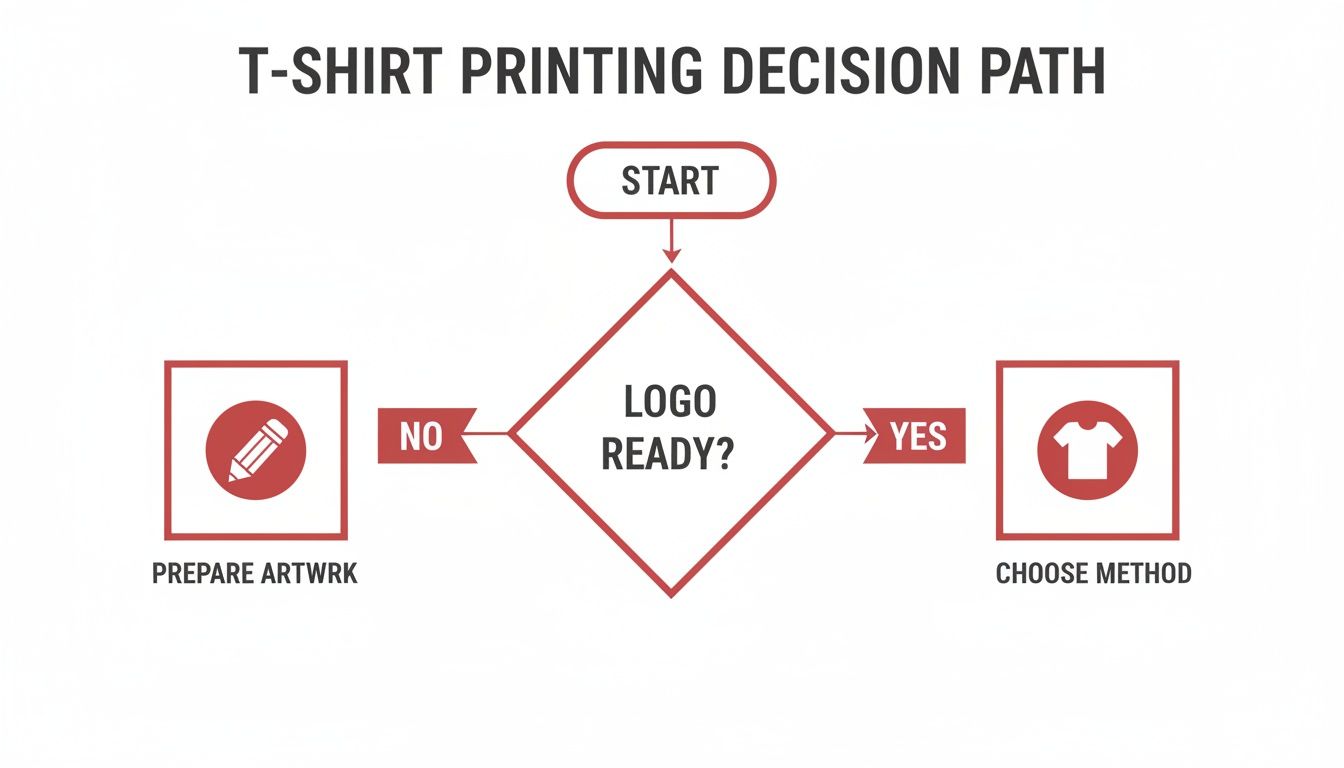
As you can see, everything starts with your artwork. Once that’s sorted, your project needs will guide you to the best printing method.
Printing Method Comparison for Your T-Shirt Logo
Choosing between screen printing, DTG, and other methods can feel overwhelming. To help clear things up, this table breaks down the key differences so you can quickly see which option aligns with your logo, budget, and order size.
| Method | Best For | Ideal Quantity | Pros | Cons |
|---|---|---|---|---|
| Screen Printing | Simple, bold logos with few colours | 50+ | Very cost-effective in bulk, vibrant colours, highly durable | Expensive for small orders; not ideal for complex, multi-colour designs |
| DTG (Direct-to-Garment) | Full-colour photos and complex, detailed designs | 1-50 | No colour limits, great detail, no setup fees for small runs | Best on 100% cotton, can be pricey for large quantities, colours may be less vibrant than screen printing |
| Heat Transfer (Vinyl) | Individual names, numbers, and simple, sharp graphics | 1-20 | Crisp, bold finish, works on many fabrics, good for personalisation | Can feel stiff, may crack over time with improper care |
| Sublimation | All-over prints and photorealistic designs on sportswear | Any quantity | Print is permanent and can't be felt, no cracking or fading | Only works on light-coloured, 100% polyester fabrics |
Ultimately, the "best" method really depends on what you're trying to achieve. A big order of staff uniforms with a simple one-colour logo is a perfect job for screen printing, while a small batch of promotional tees with a detailed photo is a job for DTG.
Screen Printing: The Go-To for Bulk Orders
Screen printing is the absolute workhorse of the custom apparel world here in Australia, and for good reason. The process involves pushing ink through a stencilled mesh screen directly onto the t-shirt. It’s incredibly economical for larger runs—we’re talking 50 shirts or more—because most of the cost is tied up in creating the screens.
This makes it the perfect choice for:
- Simple, bold logos with one to three solid colours.
- Company uniforms, event giveaways, or team merchandise.
- Getting vibrant, tough prints that stand up to countless washes.
Imagine a local cafe needing 100 new staff t-shirts with their two-colour logo. For them, screen printing delivers the best bang for their buck and a professional, long-lasting result. The flip side is that it’s not cost-effective for small jobs or designs with a ton of colours, as every single colour needs its own screen.
Direct-to-Garment (DTG): For Picture-Perfect Detail
Think of Direct-to-Garment (DTG) printing as an inkjet printer, but for clothes. It sprays the ink directly onto the fabric, allowing for an unlimited range of colours and stunningly fine detail. This is the method you want for printing photos, designs with smooth colour gradients, or intricate logos.
Because there are virtually no setup costs, DTG is brilliant for small batches or even one-off prints. You can print a single t-shirt with a full-colour photograph just as easily as you can print twenty.
This is a game-changer for artists selling their designs online or businesses testing out a new t-shirt concept for a marketing campaign. The main thing to remember is that DTG works best on 100% cotton and doesn't scale as cheaply as screen printing for massive orders.
Heat Transfer and Sublimation: For Speciality Jobs
Two other fantastic options are heat transfer and dye sublimation. Vinyl heat transfer is where your logo is precision-cut from a sheet of coloured vinyl and then heat-pressed onto the shirt. It gives you a super crisp, bold finish and is perfect for customising team jerseys with individual names and numbers.
Sublimation, on the other hand, is a bit like magic. It uses heat to turn solid ink into a gas, which then bonds directly with the polyester fibres of the garment. The result is a permanent, seamless print that you can't even feel, making it ideal for all-over patterns on activewear. Just keep in mind, sublimation only works its magic on light-coloured, high-polyester fabrics.
Want to get into the nitty-gritty of these techniques? You can explore our full breakdown of custom printing options and find your perfect match.
Getting Your Artwork Ready for a Flawless Print
A brilliant t-shirt idea can fall flat if the artwork isn't right. Trust me, one of the most common hiccups we see is a design file that isn't print-ready. It’s a simple mistake that can cause delays and, worse, a disappointing result.
Let’s walk through how to get your artwork prepped like a pro so your printer can hit the ground running and produce something you’ll be proud of.
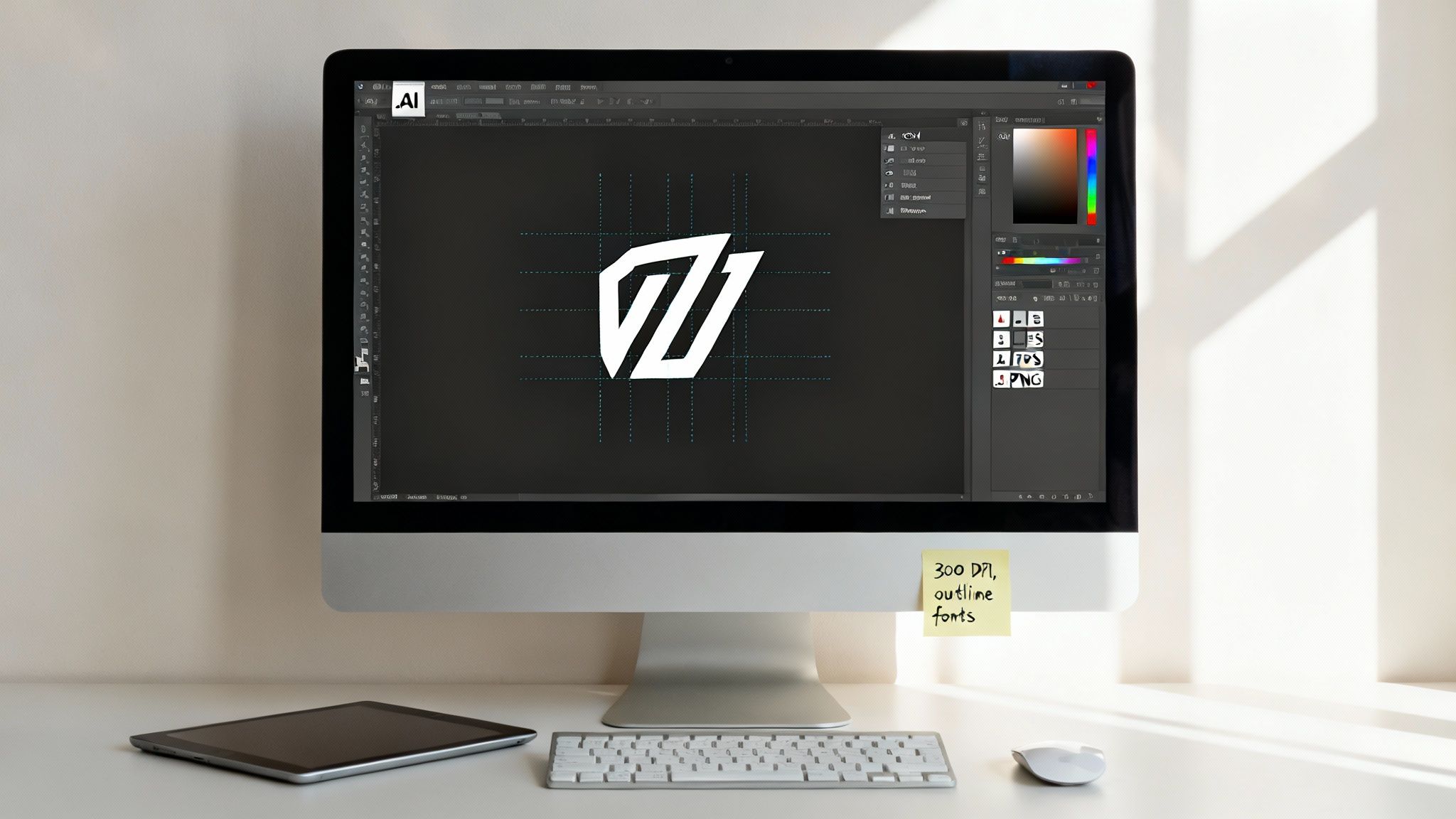
Nailing this step is all about making sure the final product is crisp, clear, and perfectly represents your brand.
Why Vector is King for T-Shirt Logos
The absolute most important thing to get right is the file type. Your printer will almost certainly ask for a vector file for your logo, and for a very good reason.
Think of it this way: vector graphics are built with mathematical formulas, not pixels.
- Vector Files (.AI, .EPS, .SVG): These are the gold standard. You can scale them up to the size of a billboard or down to a postage stamp, and the lines will stay perfectly sharp and clean. No blurriness, ever.
- Raster Files (.JPEG, .PNG, .GIF): These are pixel-based. Try to make a small JPEG bigger, and you’ll see it instantly become a blurry, pixelated mess. That’s not a look you want on your company’s t-shirts.
For a clean, scalable, and professional-looking logo, always supply your printer with a vector file. It’s the industry standard for apparel printing and guarantees the best possible result, especially for screen printing.
Key Artwork Specifications
Getting the file type right is a huge win, but a few other details can make or break your print job. Sorting these out beforehand will save you a ton of back-and-forth emails with your printer.
Resolution and Colour Mode
Sometimes, especially with complex, photo-realistic designs for DTG printing, you might have to use a raster file. If you do, it absolutely must be high quality.
Your file’s resolution needs to be at least 300 DPI (dots per inch) at the exact size you want it printed. Anything less will look soft and fuzzy on the final shirt.
When it comes to colour, make sure your file is set to CMYK (Cyan, Magenta, Yellow, Black). This is the colour model printers use. Files designed in RGB (Red, Green, Blue)—the standard for digital screens—can look completely different when printed, often leading to unexpected and disappointing colour shifts.
Fonts and Transparency
Two final checks are absolute must-dos.
First, outline your fonts. This little trick converts any text in your design into a solid shape. It means the printer doesn’t need to have your specific font installed on their system, which prevents their computer from swapping it for a default one and messing up your design.
Second, make sure your logo has a transparent background. Saving it as a .PNG or vector file like an .EPS will do the trick. This is crucial for avoiding that ugly white or coloured box printing around your beautiful logo.
For a deeper dive, you can explore our artwork submission tips for beginners in our simple guide. Taking a few minutes to get these details right makes all the difference.
From Quote to Delivery: Getting Your T-Shirts Made
Alright, your artwork is sorted. Now comes the exciting part: turning that digital file into a stack of awesome, freshly printed T-shirts. This stage is all about nailing down the details to make sure what you get is exactly what you pictured. Getting this right from the start saves a lot of headaches later and guarantees a smooth run-up to your big event or campaign launch.
First up, let's talk numbers and how they affect your budget. When it comes to printing a logo on a T-shirt, especially with screen printing, there are initial setup costs involved. This is where economies of scale really come into play. Ordering 250 shirts will give you a much better price-per-shirt than ordering just 25. The more you order, the more those setup costs are spread out, making each tee significantly more affordable.
Don't Skip the Digital Proof
Before a single shirt hits the press, you'll get a digital proof. Think of it as a final blueprint. This is, without a doubt, the most crucial checkpoint in the entire process, so don't just glance at it and click 'approve'. The proof is a digital preview showing exactly how your logo will look on the T-shirt—its final size, placement, and colours.
This is your chance to be picky and check for any potential issues:
- Sizing: Does the logo feel balanced? A huge design might look epic on an XL but completely swallow a Small.
- Placement: Is it perfectly centred? Maybe it needs to sit a bit higher, or you'd prefer it on a sleeve.
- Colour Accuracy: Do the colours on the proof look right? Keep in mind that what you see on your screen can vary slightly from the final printed ink.
Approving the proof is you giving the final green light. A careful review here prevents costly mistakes and ensures you get exactly what you were hoping for. Once you say go, the presses start rolling.
How Long Will It Actually Take?
"So, when will they be ready?" It’s the million-dollar question. Generally, you can expect a standard turnaround time of about 7 to 14 business days, but this can definitely change depending on the job.
A few things can influence your delivery date:
- The Printing Method: A complex screen printing job takes more setup time than a quick, small run of DTG prints.
- Garment Stock: If you've picked a specific T-shirt style or a unique colour that isn't in stock, we'll need to order it in, which adds time.
- The Time of Year: Things get busy! Peak seasons, like the run-up to Christmas or major event periods, can stretch production times for everyone in the industry.
Planning ahead is becoming the norm. The Australian print-on-demand market, which includes custom tees, is expected to explode from USD 244.2 million to a whopping USD 1,705.1 million by 2033. This isn't just a random statistic; it shows a massive shift in how businesses are thinking more strategically about their merchandise. You can read the full research on Australia's print-on-demand outlook to see where the market is headed.
The best advice I can give? Plan your order well ahead of any hard deadlines to avoid paying for last-minute rush shipping. If your tees are for a trade show on the 30th of the month, try to get your order in by the 10th. Building in that buffer gives everyone peace of mind.
Ready to get started? You can easily request a custom quote for your project, and our team will give you a clear timeline.
Making Your Brand Stand Out on Every Shirt
Once you’ve nailed down the technical side of things, it's time to get strategic. A T-shirt with your logo isn't just another piece of clothing; it's a walking billboard, a conversation starter, and a fantastic way to build a real community around your brand. The ultimate goal is to create something so well-designed and comfortable that people actually choose to wear it, spreading your brand’s reach far and wide without you lifting a finger.
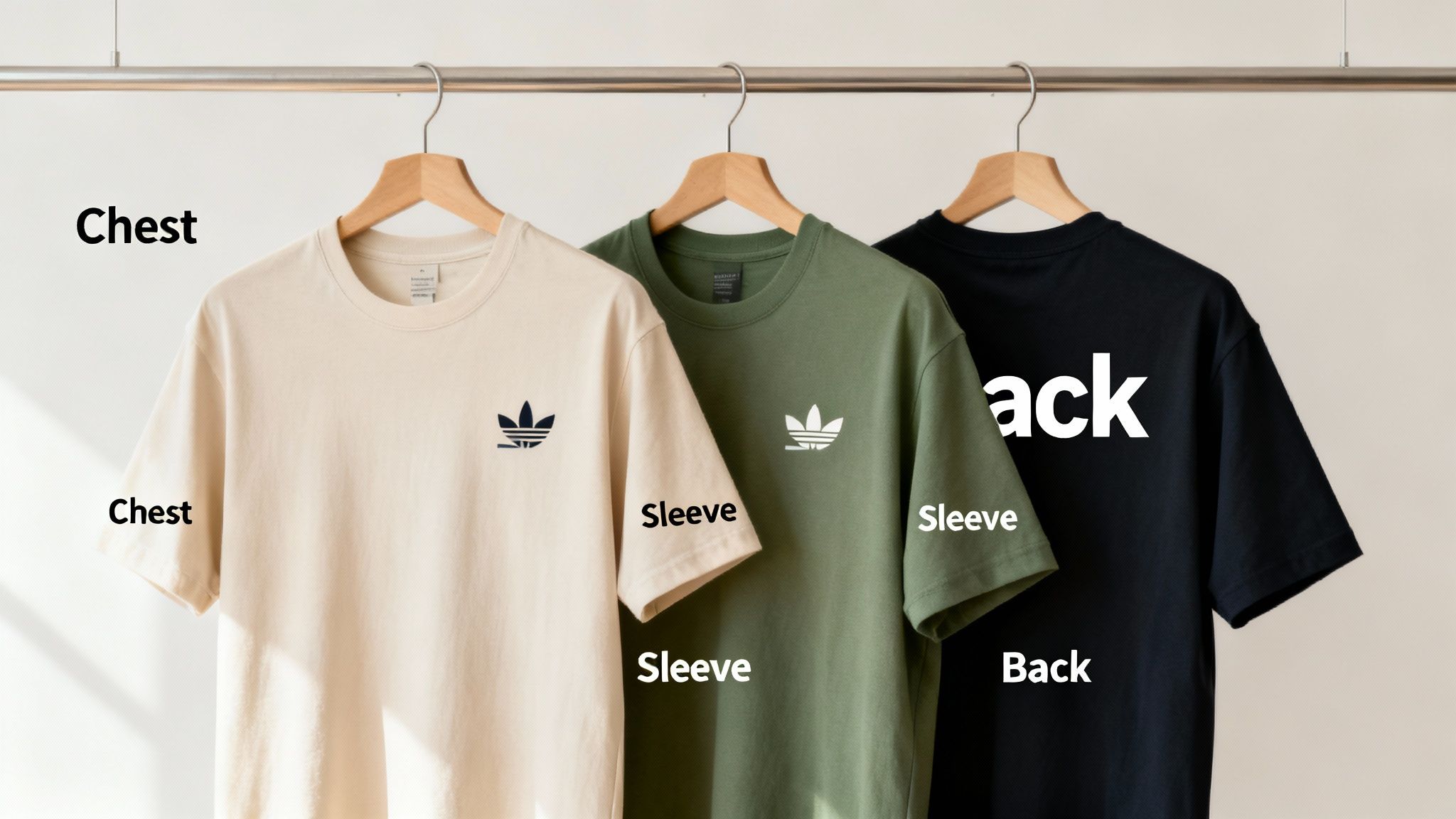
Look beyond just slapping a logo on a basic tee. Think about the context. A limited-edition design for a trade show can generate a real sense of exclusivity and buzz. Or, imagine including a premium, well-fitting T-shirt in a new hire welcome kit—it's an instant way to foster team pride and make someone feel part of the crew from day one.
Think Beyond the Standard Chest Print
The classic centre-chest logo has its place, but getting a little creative with the placement can turn a simple uniform into a genuinely desirable piece of apparel. Where you put the logo sends a subtle message.
Here are a few ideas I've seen work brilliantly:
- Subtle Sleeve Print: A small, discreet logo on the sleeve often feels more premium and less like a straight-up advertisement. This makes it much more likely to be worn outside of work events.
- Bold Back Design: Got an event? A large design on the back makes your team easy to spot from across a crowded room, all while keeping the front of the shirt clean and professional.
- Unique Hem Tag: A small, custom-branded tag sewn onto the bottom hem is a fantastic touch. It adds a subtle, retail-quality detail that shows you've thought about every little thing.
The best promotional T-shirts don't feel promotional at all. They feel like high-quality, thoughtfully designed clothes that people are genuinely proud to wear. That’s when you know you’ve gotten the best possible return on your investment.
This kind of strategic thinking is exactly why so many businesses now print t shirt logo designs for much more than just cheap giveaways. The demand is there, too. In fact, Australia's T-shirt market is projected to grow to 307 million units and hit an AUD 1.1 billion market value in the next decade. This growth is being pushed by corporate branding needs, event merchandise, and the massive athleisure trend, proving that companies are investing heavily in custom gear. If you're curious about the numbers, you can discover more insights about Australia's T-shirt market trends on researchandmarkets.com.
Choosing Colours That Make Your Brand Pop
Colour is every bit as crucial as logo placement. You want the T-shirt colour to complement your logo, not compete with it. A dark grey or navy shirt, for example, can make a bright, single-colour logo look incredibly sharp and modern.
On the other hand, choosing a neutral, earthy-toned shirt can lend your brand a more organic, approachable vibe. Always go back to your brand's primary and secondary colour palettes and pick a garment that makes them shine. When you align the shirt's design, quality, and colour with your brand’s core identity, you create a powerful piece of marketing that keeps working long after you've handed it out. This mindset is vital when exploring the wider world of promotional products to boost your brand.
Keeping Your Custom Tees Looking Sharp
You’ve got your awesome new branded t-shirts, so what’s next? Making sure they actually last. A little bit of care goes a long way in protecting your investment and keeping that logo looking fresh and vibrant, not cracked and faded.
It's a good idea to pass these simple instructions on to your team or customers, so everyone knows how to keep their new gear in top shape.
The most important trick is deceptively simple: always wash the t-shirt inside out. This shields the print from the rough and tumble of the washing machine, preventing the friction that causes logos to peel and fade.
The Right Way to Wash and Dry
Think gentle. A cold wash on a delicate cycle is your best bet. Hot water is the enemy of both the t-shirt fabric and the ink, causing them to break down much faster. Steer clear of harsh detergents or bleach, too—they can be brutal on the colours and the print itself.
When it’s time to dry, you’ve got two options:
- Tumble dry on low. This is the next best thing to air drying, as it keeps heat stress to a minimum.
- If you really want to maximise the life of the print, hang it out to dry. This is the gold standard, as it avoids any heat or friction altogether.
Here's a pro tip we've seen save countless shirts: never, ever iron directly on the logo. The heat from an iron will melt, scorch, or completely ruin the design in seconds. If you absolutely have to get the wrinkles out, turn the shirt inside out and use the lowest heat setting.
Follow these simple rules, and your t-shirts will stay looking fantastic, representing your brand well for a long time to come.
Got Questions About Printing Your Logo on T-Shirts?
Stepping into the world of custom t-shirts for your business can feel a bit overwhelming at first. You've got the perfect logo, but how do you get it onto a shirt looking sharp and professional? To help you nail down the details, here are the answers to the questions we hear most often.
Think of this as your quick-start guide to making smart choices, from how many to order to making sure your design doesn't fade away.
What’s the Smallest Order I Can Place?
This is usually the first thing people want to know, and the answer really comes down to the printing technique.
If you're looking at screen printing, there’s a bit of prep work involved in creating the stencils for each colour. Because of this, most printers will have a minimum order of around 25 to 50 shirts. This makes the setup costs worthwhile and keeps the price per shirt reasonable.
But what if you only need a handful? That's where Direct-to-Garment (DTG) printing shines. It works a lot like a paper printer, with virtually no setup for each design. This flexibility means you can often order just a single shirt—perfect for testing a design or creating a unique one-off piece.
How Do I Make Sure My Logo Doesn't Peel or Fade?
You want your shirts to look great for a long time, not just for the first wear. The staying power of your logo boils down to two key things: the print method you choose and how you look after the shirt.
- For maximum durability, you can't beat screen printing and sublimation. Screen-printed ink cures and forms a tough bond with the fabric. Sublimation goes a step further by turning the ink into a gas that becomes part of the polyester fibres themselves. Neither will crack or peel.
- Heat transfers can be a great option, but they are generally less durable. The design sits on the surface of the fabric, which means it can be prone to cracking or fading after many washes and a bit of stretching.
No matter the method, a little TLC goes a long way. Always wash your custom shirts inside out on a cold cycle and tumble dry on low heat.
We’ve seen screen-printed logos easily go through 25 or more washes with almost no wear and tear. That’s why it’s our go-to recommendation for staff uniforms or any apparel that needs to stand up to daily use.
Can I Print on a Black or Dark-Coloured T-Shirt?
For the most part, yes! But the colour of your shirt plays a big role in deciding the best way to print.
When you're putting a light-coloured logo onto a dark garment (like white ink on a black tee), your printer will often need to lay down an "underbase" first. This is basically a layer of white ink that acts as a primer, making sure your logo's colours look vibrant and true, not muddy. It's a standard step for both screen printing and DTG.
The one major exception is sublimation. This method only works its magic on light-coloured, 100% polyester fabrics. Since the ink dyes the fibres, it needs a pale background to show up properly, which means it’s not an option for your navy or black shirts. Don't worry, though—a good printer will always walk you through the best fit for your specific design and colour scheme.
Ready to create branded t-shirts that people will actually want to wear? The team at Simply Merchandise has over 25 years of experience helping Australian businesses bring their logos to life. We offer expert guidance and a massive range of options to make the whole process a breeze. Start your project with us today!
Related Posts

The Power of Promotional Products
Why Use Promotional Products? In a digital world that’s constantly shouting for attention, the right promotional product does...
Read More
Personalised Water Bottle Australia: 2026 Guide
Find your perfect personalised water bottle australia with our expert guide for 2026. Choose materials, branding, & suppliers for max...
Read MoreInvalid password
Enter